
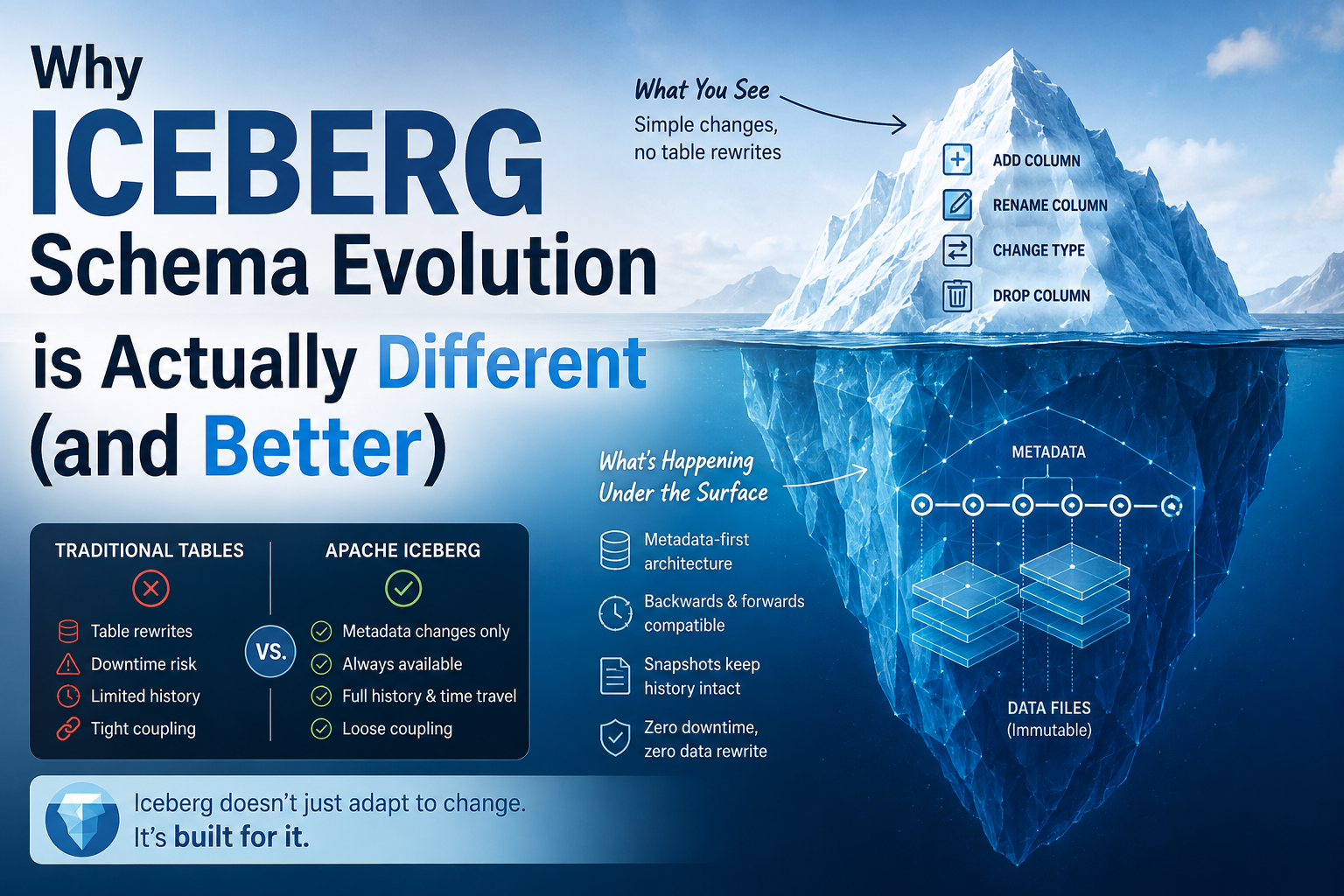
You’ve been there: you need to rename a column in a production table. In a traditional Hive-style setup, this is often a nerve-wracking operation. You have to worry about whether the underlying files will still be readable, if the metadata will stay in sync, and—most importantly—whether you’ll break every downstream query that relies on that specific column name.
In many cases, the only “safe” way to do this in older systems was to create a new table, migrate the data, and point everyone to the new location.
Apache Iceberg changes this dynamic. It handles schema evolution in a way that feels much more like a traditional database and less like a manual file-system shuffle.
The problem
The reason schema evolution is so painful in older “Hive-style” tables is that those tables rely on a loose mapping between the data files and the metadata.
In those systems, the “schema” is often just a list of names associated with positions in a file. If you change a name, the link between the query engine and the physical data can break. If you change a type, the engine might try to read a string as an integer and crash.
Because the link is so brittle, any change to the schema feels like a high-risk operation.
The simple mental model
Iceberg solves this by decoupling the name of a column from its identity.
Think of it like a database primary key. In Iceberg, every column is assigned a unique, internal ID. When you query a table, the engine doesn’t look for “the column named user_id.” It looks for “the column with ID 101.”
If you want to rename user_id to customer_id, Iceberg simply updates the metadata to say “ID 101 is now called customer_id.” The underlying data files don’t change, and the internal ID remains the same.
Because the identity of the column (the ID) never changes, the link between the metadata and the data files remains intact.
Let’s make it concrete
Imagine you have a table of orders.
CREATE TABLE orders (
order_id INT,
customer_id INT,
amount DECIMAL(10,2)
);
In a Hive-style table, if you run an ALTER TABLE to rename customer_id to account_id, the system has to hope that the underlying files can still be mapped correctly.
In Iceberg, the internal mapping looks like this:
| ID | Name | Type |
|---|---|---|
| 1 | order_id | INT |
| 2 | customer_id | INT |
| 3 | amount | DECIMAL |
When you rename the column, the table becomes:
| ID | Name | Type |
|---|---|---|
| 1 | order_id | INT |
| 2 | account_id | INT |
| 3 | amount | DECIMAL |
The ID for the second column stayed 2. The engine doesn’t care that the name changed; it only cares that the data associated with ID 2 is still there.
What is actually happening?
When you perform an ALTER TABLE in Iceberg, it doesn’t rewrite any data files. Instead, it creates a new metadata file.
This new metadata file points to the same data files as the previous version but contains the updated schema definition. Because Iceberg tracks every change in its metadata, it can “time travel” to previous versions where the column was still named customer_id.
This is a massive shift from how Hive-style tables work. In Hive, the metadata is often a “snapshot” of the current state of the files. In Iceberg, the metadata is a “history” of the table’s evolution.
This allows for:
- Renaming: Changing the name without touching the data.
- Adding columns: Adding a new column with a new ID.
- Reordering columns: Changing the position of a column without affecting the underlying files.
Where this matters in a real data platform
This isn’t just a “nice to have” feature; it changes how you design your pipelines.
In a standard Lakehouse architecture (using Trino or Spark with Iceberg), this gives you a lot of freedom in your transformation layer.
If you are using dbt to manage your models, for example, you can evolve your schema more gracefully. If a business requirement changes and a field needs a new name, you can perform the rename in the Iceberg table without needing to re-run a massive “copy” job to move data into a new table.
It also makes multi-engine interoperability much safer. Since the Iceberg spec defines how the schema is handled, both Trino and Spark will see the same renamed column because they are both reading the same Iceberg metadata.
The trade-offs
While Iceberg makes schema evolution much easier, it isn’t magic. There are still rules you have to follow.
| Action | Ease in Iceberg | The Catch |
|---|---|---|
| Renaming | Very Easy | You can rename, but you must ensure downstream tools (like specific BI tools) can handle the name change. |
| Adding Columns | Easy | You can add columns at any time. |
| Changing Types | Harder | You can’t easily change a String to an Int because the underlying data in the Parquet files is still stored as a string. |
| Deleting Columns | Easy | You can drop a column from the metadata, but the data remains in the files (it’s just ignored). |
The most important thing to remember is that while Iceberg makes the technical act of changing a schema easy, it doesn’t solve the logical problem of breaking downstream reports. If you rename a column, your BI tool might still be looking for the old name.
What I would do
If I were building a new data platform today, I would lean heavily into Iceberg for this exact reason.
When you are building a “Source of Truth” layer, you want to be able to evolve the schema as the business changes without the “all-hands-on-deck” emergency of a broken table.
- Use Iceberg as your primary table format for any table that will live for more than a month.
- Use dbt to manage the transformations.
- Keep your “Raw” layer stable. If you need to change a name in the raw data, do it in the Iceberg metadata.
By using Iceberg, you move the “pain” of schema changes from the infrastructure layer (where it’s hard to fix) to the logic layer (where it’s easier to manage).
Takeaway
- Understand: Iceberg uses unique IDs for columns, not just names. This is what allows it to decouple the “identity” of data from the “label” we use to query it.
- Check: If you are currently using Hive-style tables, check how many “manual” migrations you’ve had to do just to rename a column.
- Try: Try performing a rename on an Iceberg table using Trino or Spark. Notice how the underlying data files don’t move, but the metadata updates instantly.